

If you’ve ever purchased a reseller hosting plan or considered starting a web hosting business in Nigeria, you’ve probably come across terms like CPU usage, RAM limits, resource allocation, and account restrictions. For many resellers, these terms sound highly technical and sometimes even intimidating.
Understanding CPU and RAM limits is one of the most important things you can do as a reseller. These resources directly affect the performance of your clients’ websites, the stability of your hosting accounts, and ultimately the reputation of your hosting business.
I’ve noticed that many new resellers focus heavily on disk space and bandwidth while paying little attention to CPU and RAM allocations. Then, when a website suddenly slows down, shows resource limit errors, or experiences performance issues, they struggle to understand what went wrong.
The truth is that CPU and RAM are often far more important than storage space when it comes to website performance.
What is a Reseller Hosting?
Reseller hosting allows you to purchase hosting resources from a provider and then create separate hosting accounts for your own customers.
Think of it like renting a large office building and leasing individual offices to different businesses. You don’t own the building itself, but you manage and sell portions of it.
With reseller hosting, you can:
- Create hosting accounts
- Set custom pricing
- Manage customer websites
- Offer hosting under your own brand
- Generate recurring income
This business model has become increasingly popular in Nigeria because it provides an affordable entry point into the web hosting industry.
Why Nigerian Resellers Should Understand CPU and RAM Limits
Nigeria’s digital economy continues to expand rapidly and businesses are launching websites at an unprecedented rate. This creates opportunities for resellers who understand how hosting resources work.
When you understand CPU and RAM allocations, you can:
- Recommend suitable hosting plans
- Avoid overselling resources
- Improve customer satisfaction
- Reduce technical complaints
- Build long-term client relationships
Many resellers focus solely on pricing while ignoring performance and customers eventually notice the difference.
What Is CPU in Web Hosting?
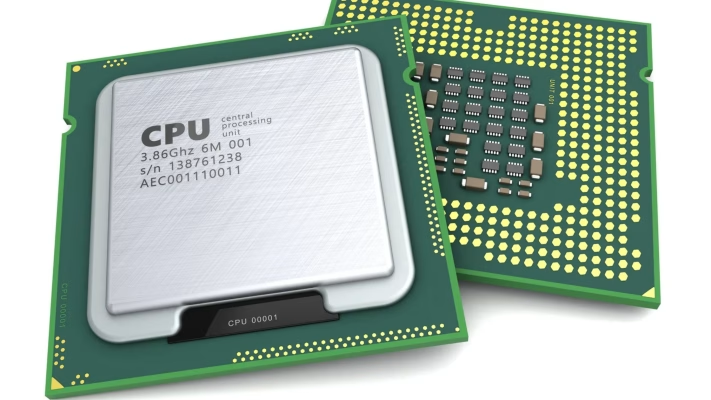
CPU stands for Central Processing Unit. You can think of the CPU as the brain of the server. Every task performed on a website requires processing power. When a visitor accesses a page, submits a contact form, searches a product catalog, logs into a dashboard, or loads WordPress content, the CPU handles the work.
Without sufficient CPU resources, websites become slow and unresponsive. Imagine trying to run a busy supermarket with only one cashier, even if the store has plenty of products, customers will spend most of their time waiting.
That’s exactly what happens when websites don’t have enough CPU power.
What Consumes CPU Resources?
Website activities that may require CPU processing include:
- Executing PHP scripts.
- Running database queries.
- Processing WordPress requests.
- Generating dynamic pages.
- Handling search functions.
- Running e-commerce operations.
- Executing scheduled tasks.
- Processing website applications.
A simple website with mostly static pages may require relatively little processing power. A busy online store with complex plugins, frequent database queries and many simultaneous visitors may require considerably more.
What is a CPU limit?
A CPU limit is a restriction on how much processing capacity a hosting account or user can consume under the hosting provider’s resource-management system. The exact measurement depends on the provider and platform.
For example, CloudLinux documentation describes CPU speed limits as a percentage of a single CPU core or a specified frequency. Under that system, 100% represents one core’s relative processing capacity, while 150% represents 1.5 cores. These measurements should not be assumed to apply identically to every hosting provider.
What is RAM in Web Hosting?

RAM stands for Random Access Memory while the CPU performs calculations and processes tasks, RAM temporarily stores the data needed to perform those tasks efficiently.
Think of RAM as a workstation desk, the larger the desk, the more documents you can spread out and work with at the same time. A tiny desk forces you to constantly move things around, slowing down your workflow. Servers operate similarly. More RAM allows websites and applications to handle more activity simultaneously without experiencing performance bottlenecks.
What Consumes RAM in Web Hosting?
Examples include:
- WordPress applications.
- PHP processes.
- WooCommerce operations.
- Database activity.
- Learning management systems.
- Membership platforms.
- Website administration dashboards.
- Custom web applications.
A website with a lightweight theme and a few simple plugins may have modest memory requirements while a website running an online store, membership system or complex application may need more memory to operate comfortably.
What is a RAM limit?
A RAM limit is the maximum amount of memory a hosting account or application is permitted to use under a particular resource-management system.
Hosting resource allocation depends on the specifications and management systems used by telaHosting. This means that a reseller should not assume every provider uses the same memory allocation system.
CPU vs RAM
CPU and RAM work together, but they perform different functions.
| Resource | Main Function | Simple Analogy | Possible Performance Concern |
| CPU | Executes instructions and processes tasks | A worker performing jobs | Processing delays when demand exceeds available capacity |
| RAM | Holds working data used by applications | A desk holding materials | Memory exhaustion or application restrictions |
| Storage | Keeps files and data for longer-term access | A filing cabinet | Insufficient space or slower data access depending on storage technology |
Example
Suppose a customer visits an online store. The CPU helps process the request, execute application logic and perform calculations while the RAM holds working information needed by the application while it runs.
Storage keeps website files, images, databases and other data. All three contribute to the website’s operation, but they solve different problems. A hosting plan should therefore be evaluated as a complete resource package rather than by looking at only one specification.
Why CPU and RAM Matter More than Disk Space
Storage is important because websites need space for files, databases, emails and backups. However, storage capacity alone does not determine how quickly a website processes requests.
Consider two hosting plans:
| Feature | Plan A | Plan B |
| Storage | 50 GB | 100 GB |
| CPU allocation | Provider-defined | Provider-defined |
| RAM allocation | Provider-defined | Provider-defined |
| Website performance | Cannot be determined from storage alone | Cannot be determined from storage alone |
Plan B offers more storage, but that does not automatically mean it will deliver better website performance.
The actual experience also depends on:
- CPU availability.
- Memory allocation.
- Storage technology.
- Server configuration.
- Website optimization.
- Database efficiency.
- Caching.
- Network performance.
- Traffic patterns.
For this reason, resellers should look beyond storage and bandwidth when evaluating hosting packages.
How CPU Limits Affect Hosting Accounts
CPU limits determine how much processing power a website can consume. When a website reaches its CPU limit, several things may happen:
- Pages load slowly
- Visitors experience delays
- Applications become sluggish
- Temporary resource restrictions occur
- Error messages may appear
For resellers, this is important because one resource-hungry website can affect customer satisfaction.
Imagine hosting 30 websites under your reseller account, if one client’s website experiences a traffic spike and consumes excessive CPU resources, performance issues can emerge. Proper resource management helps prevent these situations.
How RAM Limits Affect Hosting Performance
RAM limits influence how much information can be processed simultaneously. When RAM resources are exhausted, websites often experience:
- Slow page generation
- Database delays
- Application crashes
- Increased loading times
WordPress websites are particularly sensitive to RAM limitations.
Popular plugins such as:
- WooCommerce
- Elementor
- Learning management systems
- Membership platforms
often require substantial memory allocations. As your clients’ websites grow, RAM becomes increasingly important.
What Does 100% CPU Usage Mean in Web Hosting?
This is one of the most misunderstood hosting specifications. Some hosting environments express CPU limits as a percentage of a CPU core.
For example, CloudLinux’s SPEED setting uses a percentage relative to one core:
- 50% represents half of one core.
- 100% represents one core.
- 150% represents one and a half cores.
CloudLinux also documents other CPU-related controls, including NCPU, and notes that resource measurement depends on the specific control being used. Therefore, 100% CPU should not automatically be interpreted as a universal industry standard across all hosting providers.
Common CPU and RAM Limits in Reseller Hosting
Different hosting providers allocate resources differently. Typical telaHosting reseller environments may include:
| Hosting Level | CPU Allocation | RAM Allocation |
| Starter Reseller | 2x Core | Provider-defined |
| Growth Reseller | 4x Cores | Provider-defined |
| Pro Reseller | 6x Cores | Provider-defined |
| Master Reseller | 8x Cores | Provider-defined |
Actual allocations vary by provider. This is why understanding specifications before purchasing is so important.
Signs Your Clients Are Hitting CPU Limits
Resource limitations often reveal themselves through performance issues.
Watch for:
- Slow website loading
- Dashboard delays
- Increased server response times
- Temporary service interruptions
- Resource usage warnings
If multiple clients report these issues, CPU limitations may be contributing to the problem. Monitoring tools can help identify resource bottlenecks before they become serious.
Signs Your Clients Need More RAM
RAM shortages often produce different Signs. Common indicators include:
- Website crashes
- Memory limit errors
- Failed plugin updates
- Slow database operations
- WordPress fatal errors
As websites grow, memory requirements typically increase so, ignoring these signs can lead to frustrating user experiences
Choosing the Right Reseller Hosting Plan
When evaluating reseller hosting plans, look beyond storage and bandwidth.
Consider:
- CPU Allocation: More processing power supports better website performance.
- RAM Allocation: Adequate memory prevents bottlenecks.
- Storage Technology: NVMe SSD storage delivers significantly better performance than traditional drives.
- Scalability: Choose a provider that allows easy upgrades.
- Support Quality: Reliable support becomes invaluable when issues arise.
How telaHosting Supports Nigerian Resellers
At telaHosting, we understand that reseller hosting isn’t simply about providing server space. Your reputation depends on the performance your clients experience every day.
That’s why resource allocation matters. A reseller plan should provide enough CPU and RAM to support growing businesses without creating unnecessary bottlenecks. Whether you’re hosting local business websites, corporate portals, blogs, school platforms, or e-commerce stores, having access to reliable resources helps ensure a smoother experience for both you and your customers.
Beyond infrastructure, many resellers value having a hosting partner that understands the Nigerian market. Local support, transparent communication, and scalable hosting solutions make it easier to build a sustainable hosting business.
As your client base grows, the ability to scale resources becomes increasingly important. A well-designed reseller environment allows you to focus on serving customers instead of constantly worrying about server limitations.
Conclusion
Understanding CPU and RAM limits is one of the most valuable skills a Nigerian reseller can develop. These resources determine how efficiently websites operate, how well they handle traffic, and how satisfied customers remain over time.
While storage and bandwidth often receive the most attention in hosting advertisements, CPU and RAM are the real workhorses behind website performance. They influence everything from page loading speed and database operations to application responsiveness and user experience.
For resellers, this knowledge isn’t merely technical—it directly affects business success. When you understand how resources work, you can recommend better solutions, avoid common performance problems, and build stronger relationships with your clients.
At telaHosting, we believe successful reseller hosting starts with reliable infrastructure and a clear understanding of the resources that power modern websites. By paying attention to CPU and RAM allocations, you’ll be in a much stronger position to grow a hosting business that delivers consistent value, performance, and trust.
Frequently Asked Questions
1. What does CPU mean in reseller hosting?
CPU refers to the processing power allocated to hosting accounts. It handles website requests, database operations, and application tasks.
2. What does RAM do in web hosting?
RAM temporarily stores data that websites and applications need while running, helping improve speed and responsiveness.
3. Is RAM more important than storage?
For website performance, RAM is often more important than storage size because it directly affects how efficiently applications operate.
4. How can I tell if my reseller account needs more resources?
Common signs include slow websites, resource limit warnings, dashboard delays, memory errors, and increased customer complaints.
5. Can too many websites affect CPU and RAM usage?
Yes. The more active websites you host, the more processing power and memory resources are required to maintain performance.