
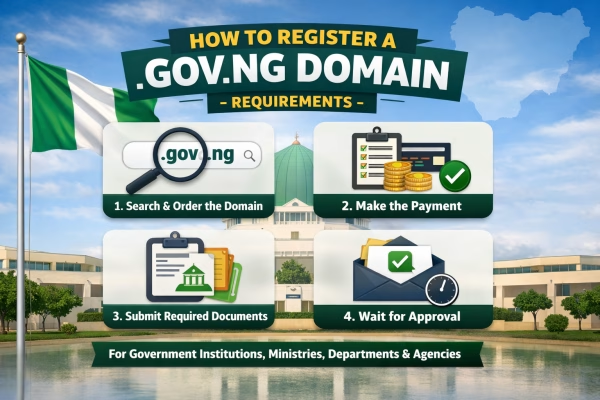
Registering a .gov.ng domain is an important step for any government institution, ministry, department, agency, or official public office in Nigeria to build a trusted and official online presence. The process is regulated by the Nigeria Internet Registration Association (NIRA) and requires proper verification documents before approval can be granted. Here is a clear, four-stage guide to registering your government domain through telaHosting.ng.
1. Search and Order the Domain
The first step is to confirm that your preferred domain name is available for registration.
- Visit the telaHosting.ng domain registration page and use the domain search tool.
- Enter the full domain name you want, for example,
yourministry.gov.ngoryouragency.gov.ng. - Click “Search” to check availability. If the domain is available, you can add it to your cart and proceed to the next stage. If it has already been registered, you will need to choose another suitable name that matches your institution.
2. Make the Payment
After selecting your domain name, the next step is to complete your order payment.
- Review your order carefully to make sure the domain name and registration details are correct.
- Proceed to checkout and make payment using any of the payment options available on telaHosting.ng, including bank transfer or online card payment.
- Once payment is successful, you will receive an invoice and a confirmation email for your order.
3. Forward the Required Documents
This is the most important stage because the .gov.ng extension is strictly reserved for verified government institutions and public offices in Nigeria. To complete the registration, you will need to send the following documents to us via ticket:
- A formal request letter: Written on the official letterhead of the ministry, department, agency, or government office, and signed by an authorized officer. See sample below.
- Proof of government status: An official document showing that the institution is a recognized government body, ministry, department, agency, parastatal, or public office.
- Authorization evidence: A letter of introduction, staff ID card, or any official proof showing that the person handling the registration is authorized to act on behalf of the institution.
- A valid ID: A copy of a government-issued identification of the authorized representative submitting the request.
Sample of the Request Letter
Letterhead of the Government Institution
[Date]To
Nigeria Internet Registration Association,
8, Funsho Williams Avenue, Iponri, Surulere,
Lagos, Nigeria.
Dear Sir/Madam,
Subject: Application for .gov.ng domain registration through telaHosting
We write to request the registration of the domain name [your_domain_name.gov.ng] on behalf of [Name of Ministry / Department / Agency / Government Office].
Our organization is a duly recognized government institution in Nigeria, and we have adopted the domain name [your_domain_name.gov.ng] as our official online identity.
We kindly request that this domain name be registered for our use. Attached herewith are the relevant supporting documents for your verification and approval.
We shall be grateful for your kind consideration and approval of this application.
Yours faithfully,
[Signature][Name of the Authorized Signatory]
[Position of the Signatory]
You will be required to send us these documents via ticket for further approval.
4. Wait for Approval
After you submit your documents, we will forward them to NIRA for verification and review.
- NIRA will carefully assess the documents to confirm that the institution is eligible for a .gov.ng domain.
- The approval process may take up to 7 business days, although some applications may be processed earlier.
- Once NIRA approves the registration, we will notify you by email, and your .gov.ng domain will be activated and ready for use. You will then be able to manage the domain from your client area.